Active Users
Description
Applications that use the Security Framework often need to know which users are currently logged in. Tracking “logged in” state alone is unreliable because users may be logged out by inactivity (session expiration) without a logout event firing. It is more practical to track active users.
Overview
Alpha Anywhere allows you to keep track of Active Users in applications that use the Security Framework. A user is considered active when they log in and when they make Ajax callbacks to the server.
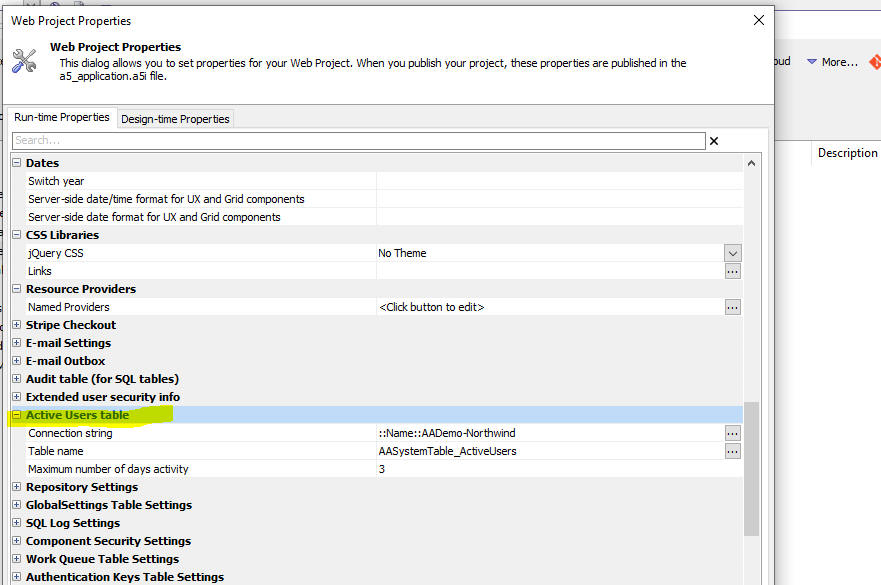
To enable tracking, define an Active Users table in Web Project Properties.
Quick Setup
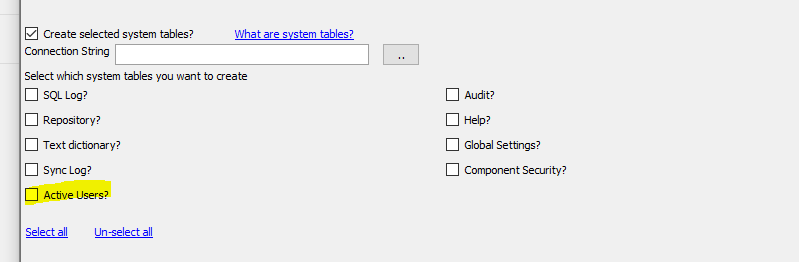
If you configure the Security Framework using the Web Security Framework - Quick Setup Genie, you can specify that an Active Users table should be created automatically.
Reading Active Users
Use the a5w_getActiveUsers() server-side function to query activity recorded in the Active Users table.
- jsondata
The query result as a JSON string.
- timeperiod
- Relative periods
e.g. last:5minutes, last:5hours, last:2days
- Explicit ranges
e.g. 12/21/2023 05:11 PM::12/25/2023 05:11 PM
- Relative periods
- type
- summary
Returns one record per active user with a count of activity events (e.g. login, ajax callback), sorted most-active first.
- detailed
Returns each activity event with its activity type (e.g. login, ajax callback to refresh a List).
- summary
c jsondata = a5w_getActiveUsers as c (c timeperiod [, type]])

Videos
Template
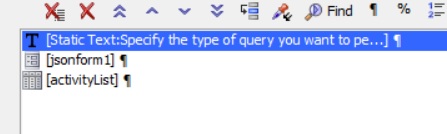
A sample UX component for viewing data in the Active Users table is available.
The Template name is UX_ActiveUsers_List. Helptext reads "Show a list of Active Users in an application that uses the Security Framework".

See Also